Google Ads Extensions are now Campaign Assets. What are they?
Search Ads are more than just headlines and descriptions. Understanding and effectively utilising Campaign Assets (formerly known as Ad Extensions), is crucial for advertisers. These assets provide additional space to convey your message and capture the user’s attention, making them an essential part of your campaign strategy.
Over the years, Google has been adding new Campaign Assets. In this list, we’ll go through the most relevant ones and how to use them.
What are Google Ads Campaign Assets?
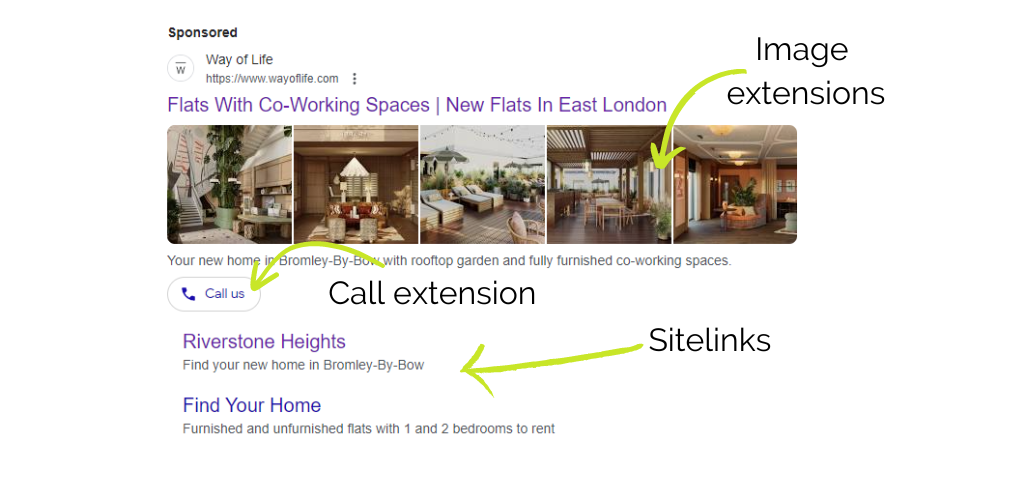
Campaign Assets are what Google now refers to as the various components of content that can make up an ad. This includes Headlines and Descriptions, as well as what used to be called Ad Extensions.
Should I use Campaign Assets?
There are a multiple reasons to use extensions, but they can be summarised as:
- They add flexibility to your ad destinations – a regular search ad may have one link for users to click. With Assets, you can add several, all directing to slightly different areas of your website, and relevant to the initial search. Therefore, if your initial headline link isn’t exactly what the searcher wants, one of the other links should be. This is great for potentially increasing the click-through rate (CTR).
- They can make your ads stand out – using something like an image extension can make your ad stand out from the crowd – both over ads and organic listings.
- They take up more of the advertising space – with a good set of Assets, your ad can take up a lot of screen real estate. This means two things: searchers are more likely to pay attention to you, and there is less room on the screen for your competitors.
There are many Asset types available, and they all do something different. It may be that not all of them will be suitable for your current campaign.
One thing to note before we proceed, just because you add Assets to your Google Ads, it doesn’t mean Google will show them. Google will use algorithms and machine learning to decide when to show an asset, and when not to.
Most common assets
Sitelinks
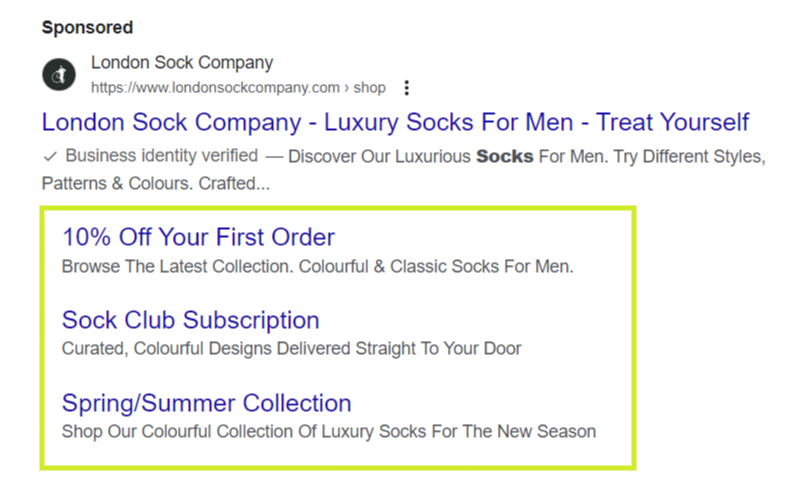
Firstly, they are a great way of taking up a lot of screen real estate. Up to four sitelinks can appear at once, which can take up the space of two or three regular search ads.
But, more importantly, they are a great way to offer alternative landing pages to a searcher. This means there is more chance they will find something in your ad they are interested in, increasing your CTR.
Images
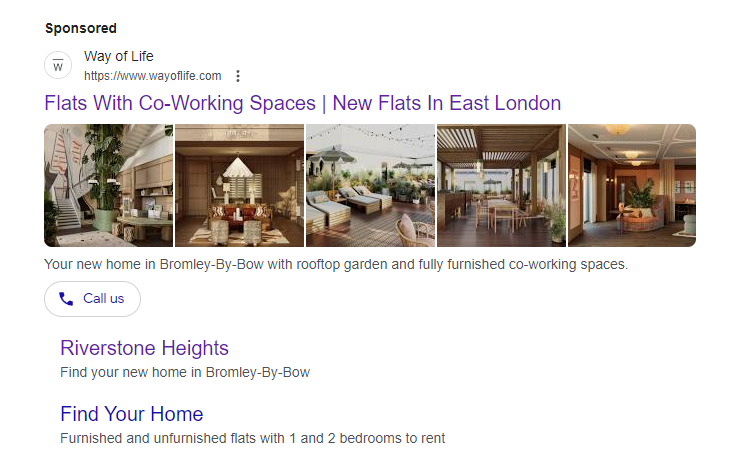
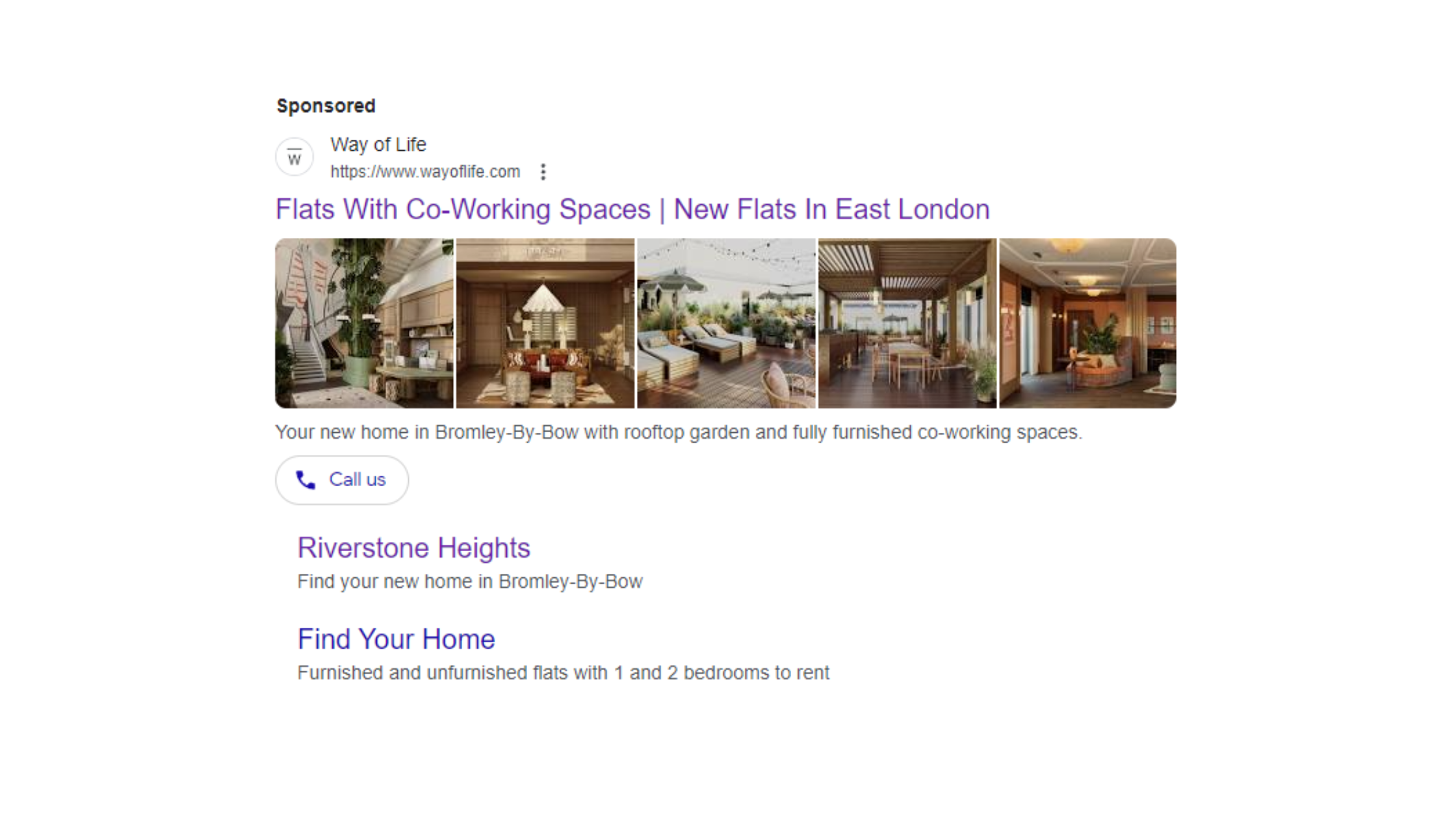
Image assets are a simple way of adding a bit of colour and context to your search ad.
A great example of when they can work well is for travel industry ads, as they can offer that little bit of inspiration from a well-chosen image, increasing CTR and putting the searcher in the right mood before even making it to the landing page.
Call
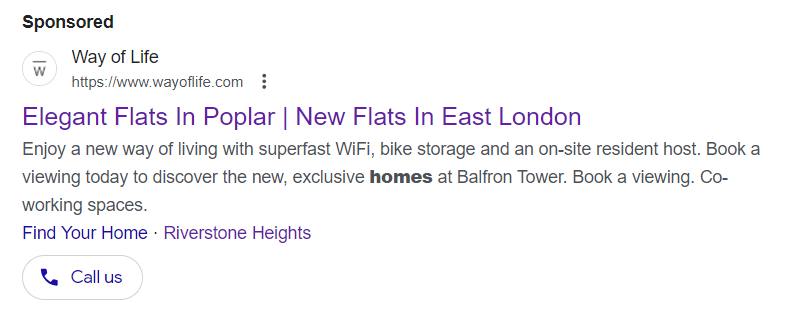
Call assets allow searchers to call you directly from the ad itself. This is particularly useful on mobile, where searchers can click and immediately call your business, reducing friction in the user journey.
Google Ads tracks these ‘click-to-call’ conversions, giving you an idea of how many people have contacted you thanks to ads.
Callout

Callout extensions are very flexible, and can be used to highlight key marketing messages. It is a brilliant way to pull out those key promotions, USPs, etc., from the ad copy, and highlight them.
You may even want to highlight things like opening hours, offers, special events, and many more.
Structured snippet

Structured snippets are another way to highlight who you are, what you do, and your USPs within a search ad, outside of the regular ad copy.
Location
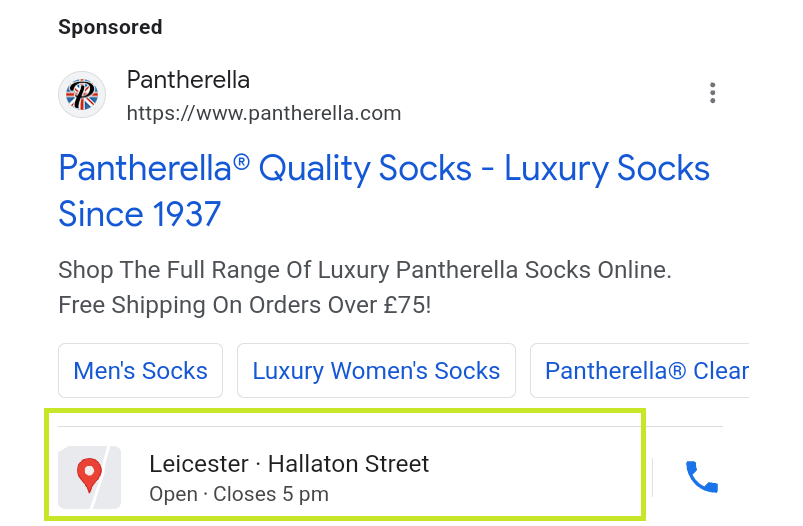
By connecting your Google Business Profile to your Google Ads account, you can highlight your location in your search ad.
This is brilliant for local businesses or larger organisations with multiple branches. It showcases to the searcher that you are present in their area, highlighting your relevance to their search, and generally increasing the likelihood of engagement.
Price
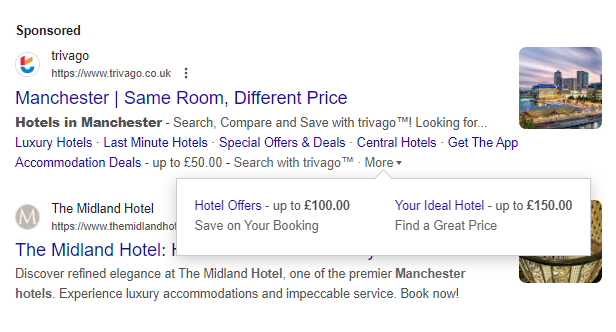
Price assets help to highlight the cost of your service or product up front. This is a great way to set expectations and potentially filter searchers who are unlikely to convert at your desired price point, saving budget for those who will.
Promotion

These asset allows you to highlight your promotions upfront in your ad. This could be a key point of difference between your business and a competitor, and may well be the difference between a searcher clicking or scrolling past.
App
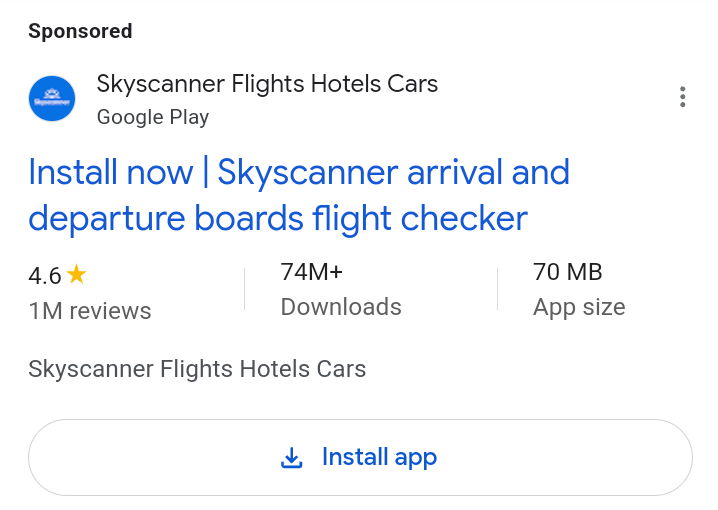
If you have an app, you can promote it alongside your search ad, and searchers can be taken directly to a download link.
Great for building the number of app users, and also monitoring what keywords might trigger a user to download the app.
These Assets can be set up from the ad group level up to the account level. Google will always use the ‘lowest’ level asset, where the order from top to bottom would be account level > campaign level > ad group. This makes perfect sense, as you may have some general assets that are brand-based and can be used with any ad at the account level. However, you may also want specific assets at the ad group level, which are only relevant to those particular ads.
Whether you should use one or all of those options will depend on your goals, the users you are targeting, and the campaigns you are running.
You can also exclude account-level assets from specific campaigns or ad groups.
Utilising the available assets effectively will significantly enhance your account. Start easy at first, select the top three assets that will be the most helpful to your business, and grow from there. If you’re using an Ad Grants account, you’ll need 4 account sitelinks, 1 group of callout and 1 structured snippet to keep your account compliant.